
FAQ Widget

FAQ Widget

Pricing

From $0.99/month. Free trial available.

Highlights

  • Organized searchable format
  • Reduces support costs

Rating

4.7
(98)

Developer

Devaito

Install

About FAQ Widget

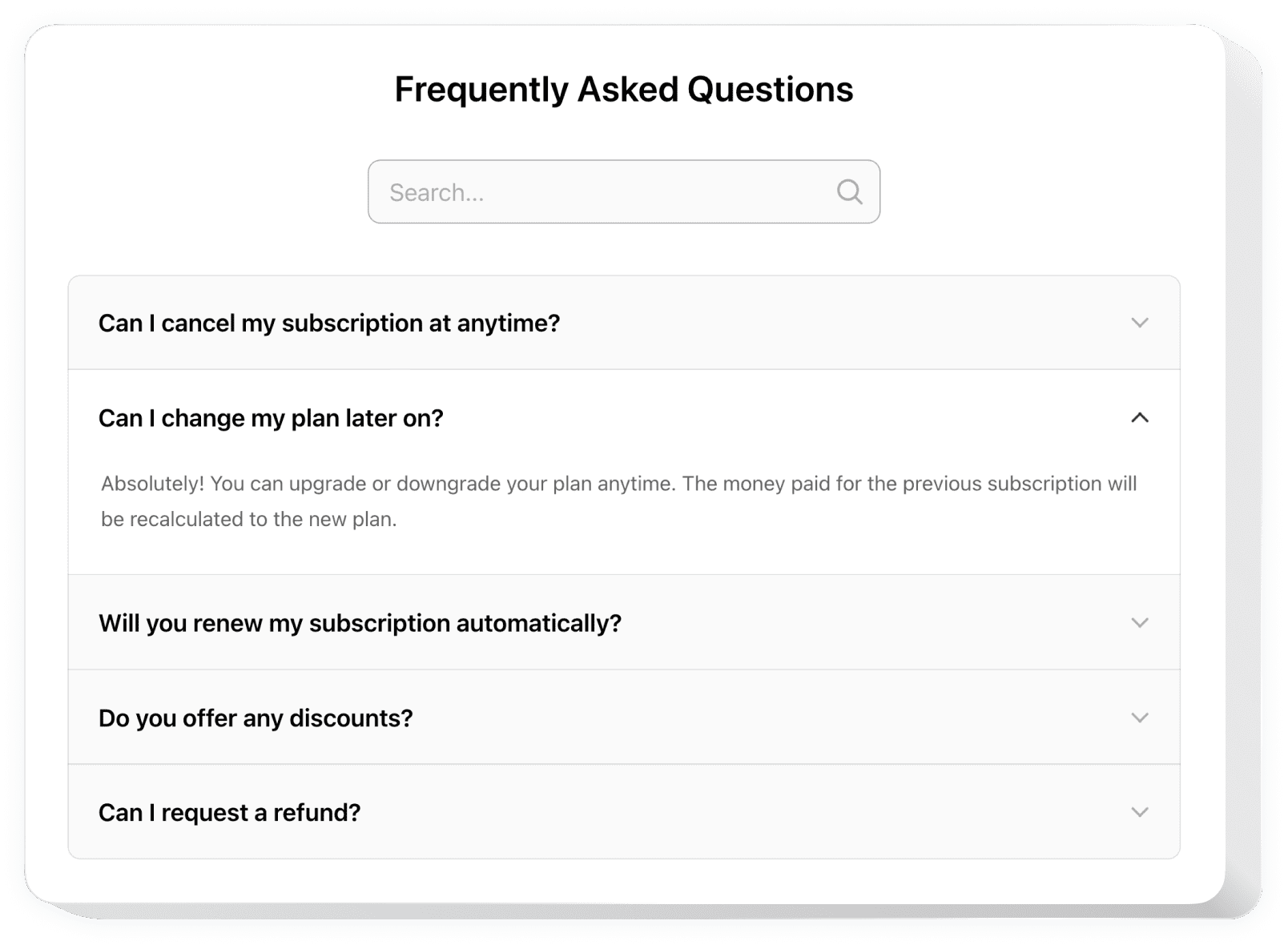
FAQ Widget provides answers to frequently asked questions in an organized, searchable format with well-structured content that helps visitors navigate between questions and find needed answers faster. Features single and structured lists to place content in a balanced way, reducing support service time and cost by 40% through proactive customer assistance.

The widget offers three predefined layouts including List layout showing answers below questions, Accordion layout revealing answers on click, and Multicolumn variant to divide content into several columns. Includes several templates with diverse customizable elements, search functionality, and category organization to shape widgets that look seamless on websites and engage more visitors effectively.

Key Features

Three Layout Options

Choose from List layout, Accordion layout for clean presentation, and Multicolumn variant to organize extensive content in user-friendly, easy-to-navigate formats.

Search Functionality

Dynamic search feature helps website users quickly find specific answers and enhance their browsing experience through instant content discovery.

Category Organization

Organize questions into categories for simplified information search, making it easier for users to find relevant answers to their specific needs.

Template Variety

Multiple ready-to-use templates including Accordion, Categories, Simple, Dropdown, Multicolumn, and Custom Colors designs for different presentation styles.

Mobile Responsive

Fully responsive design that works seamlessly across all devices and screen sizes, ensuring optimal user experience on desktop and mobile platforms.


Why Choose FAQ Widget?

Less doubts. More sales.

Boost Sales by Anticipating Questions

Provide customers with answers they're looking for before they ask and eliminate any obstacles on their way to purchase, increasing conversion rates.

Help Clients Understand Your Business

Use answers to reveal details about business terms, conditions, and benefits of your products or services, building trust and transparency.

Reduce Support Time and Cost by 40%

Be proactive and provide answers to frequent customer questions to prevent more inquiries to your Support Center, saving time and resources.

99.9%websites support
1,400+hours of development invested
1 minto start using the widget
95%customer satisfaction rate

Customer Reviews (2,078)

Overall rating

4.7
5
1,633
4
337
3
81
2
21
1
6
MG
Mathias Gwadanican Verified Partner at Sinouvé SCOP
1 week ago
Well working and responsive FAQ plugin!

FAQ plugin is well working and responsive, and their support is real professional and kind. Relevant and simple widget, personally I strongly recommend it!

MH
Mark Harper Verified Brand Strategist
2 weeks ago
Gorgeous, well built and documented!

Apps gorgeous, well built, well documented, and easy to customize. I'm so pleased and impressed with all their widgets and support.

BC
Brian Colin Verified Creator
1 month ago
Quick fix for website FAQ issue!

Their team quickly fixed an issue I was having with their website FAQ. I need to check out their other software now!

Frequently Asked Questions

Everything you need to know about FAQ Widget

A website FAQ is a widget that displays frequently asked questions and answers in an organized format, helping users find solutions quickly and reducing support inquiries by providing proactive customer assistance.
Choose your preferred template and layout, add your questions and answers, customize the design and colors, then copy the generated embed code to your website. Works with all major platforms without coding.
The widget offers three layouts: List layout showing answers below questions, Accordion layout revealing answers on click, and Multicolumn variant to divide content into several organized columns.
Use the Categories template to organize questions into different sections, making it easier for users to find relevant answers. You can create multiple categories and assign questions to appropriate sections.
Yes, the FAQ widget is fully mobile responsive and works seamlessly across all devices and screen sizes, ensuring optimal user experience on desktop, tablet, and mobile platforms.